
Usually not. An extender repeats the same signal on the same radio it just received, so everything past it can run significantly slower, and that penalty lands on the exact corner of the building that already had the worst coverage. The instinct is reasonable. The physics are not on your side.
How a WiFi Extender for Office Coverage Works, and Why It Cuts Throughput
An extender is a relay, not a second source. It listens for your router’s signal, then retransmits it. On a single radio, it can’t receive and retransmit at the same time, so it spends half its airtime listening and half talking. Devices connected through it can see significantly less throughput than devices connected directly. Dual-band models soften this with a dedicated band back to the router, but the extender still competes for the same airwaves as everything else in the space, and airtime is the real constraint in a business.
There is a second cost people miss. An extender has to hear the router well to relay a clean signal, so it has to sit where coverage is already decent. It never sits in the dead zone. It sits short of it, and the dead zone shrinks rather than disappears.
Why Devices Will Not Let Go of a Weak Signal
Phones and laptops decide for themselves when to switch connections, and they are stubborn about it. A device associated with the router at the front of the suite will hold that connection deep into the back office, long after the extender would serve it better. Users experience this as a laptop showing full bars while a video call stutters.
Devices ultimately decide when to roam, and commercial access points cannot force a handoff. What they can do is make that decision easier and the transition smoother, using roaming standards that give a client better information about neighboring access points, plus band steering and tuned signal thresholds. Consumer extenders generally do not implement them, and many broadcast a separate network name, which turns roaming into a manual choice nobody makes correctly while walking to a conference room.
No Central Management and No Visibility Into Your Own Network
An extender is a black box. No controller view, client count, channel plan, or way to push a firmware update across the building at once. When someone reports the wireless “was slow yesterday around two,” there is nothing to look at.
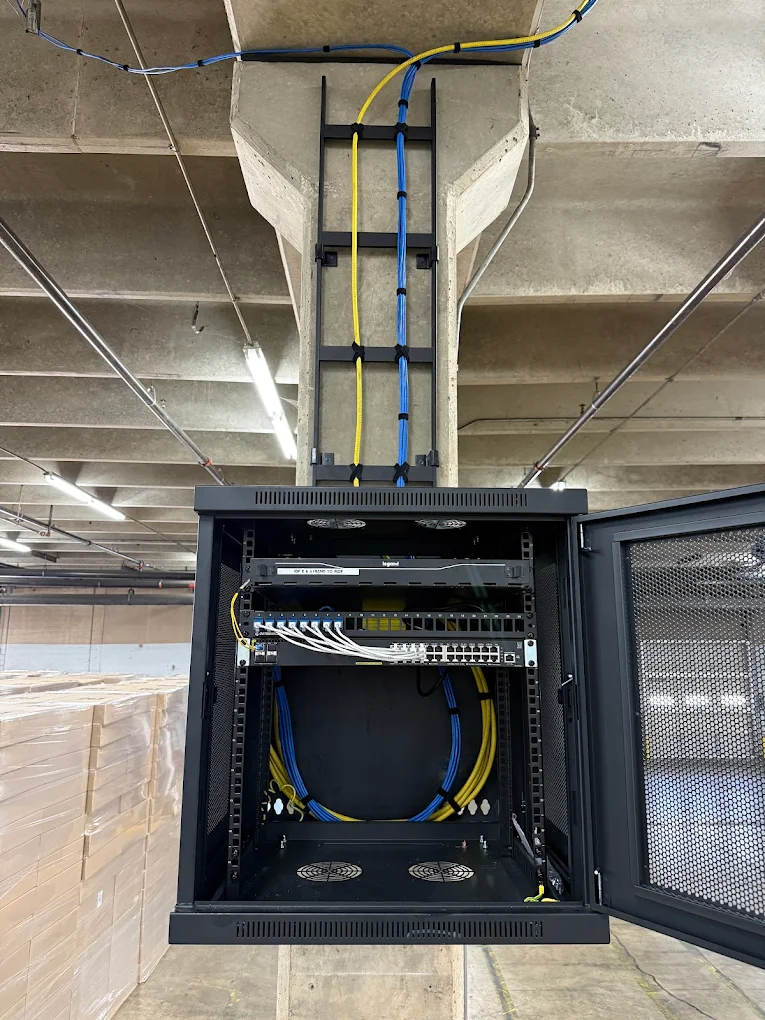
Consumer gear also stops short of what a business network needs: guest traffic isolated from internal systems, VLAN support, and authentication tied to your user directory rather than a shared password on a sticky note. Those matter the moment you handle payment data, patient records, or anything under a vendor security review. Centrally managed wireless is normally deployed alongside managed switching and PoE infrastructure, which is where that visibility and the power for each access point come from.
Business WiFi Extender vs Access Point: What a Cabled AP Does Differently
The business WiFi extender vs. access point question comes down to backhaul. An access point gets its data over an Ethernet cable instead of over the air, so it spends no airtime talking to the router, and full capacity stays available to the devices using it.
That cable also delivers power over the same run, so the access point can be mounted where coverage is actually needed, in the middle of a ceiling, rather than wherever a wall outlet happens to be. Placement is the single biggest factor in wireless performance, and a WiFi extender for office use surrenders it by definition.
A cabled access point also joins a managed system: channels and transmit power planned so units don’t fight each other, clients roaming under one network name, and guest traffic on its own segment. That is what commercial WiFi installation provides, and the Cat6 run that feeds each access point is what makes it possible. In most DFW office suites, retail spaces, and tilt-wall warehouses, that cable path already exists or is short.
When a WiFi Extender Is Genuinely Fine
There are honest uses for one. A single low-bandwidth device in a storage room. A temporary setup in a space you are vacating. A construction trailer. Somewhere cable truly cannot go and the requirement is a thermostat or a label printer rather than a person on video calls.
The test is simple. If traffic is light, the device doesn’t move, and nobody’s workday depends on it, an extender is a reasonable stopgap. If people and laptops move through that area, it is not.
Fix the Coverage Complaint at the Source
Before buying anything, it is worth knowing whether your dead zone is a coverage problem, a capacity problem, or an aging access point that needs replacing. Those have different fixes, and only one involves new hardware in that corner of the building.
Call Z-Tech Communications at (469) 991-9100, and we will survey the space, show you where coverage actually drops off, and price the cable runs and access points that close the gap. Offices adding staff or reconfiguring a floor plan often fold this into an Ethernet cabling upgrade they were already planning.
Do WiFi Extenders Work in Commercial Buildings? FAQs
Do WiFi extenders work in commercial buildings at all, or do they simply fail?
They work in the sense that devices connect. They disappoint because throughput drops significantly, roaming suffers, and nothing is manageable. In a small space with light traffic, the tradeoff can go unnoticed. In a working office, it surfaces within days.
Will a mesh system work better than a WiFi extender for office coverage?
Mesh handles roaming better than a basic extender and is a real improvement at home. The wireless backhaul limitation remains, and most consumer mesh still lacks VLANs, guest isolation, and enterprise authentication. Mesh nodes wired back to a switch perform far better, at which point you are most of the way to a proper access point deployment.
How many access points does my space need?
That depends on construction, ceiling height, device density, and what people are doing on the network, not on square footage alone. Interior glass, tilt-wall, and older masonry all behave differently, which is why a walk-through beats a rule of thumb.